Physical Address
60 Ekwema Cres, Layout 460281, Imo
Physical Address
60 Ekwema Cres, Layout 460281, Imo

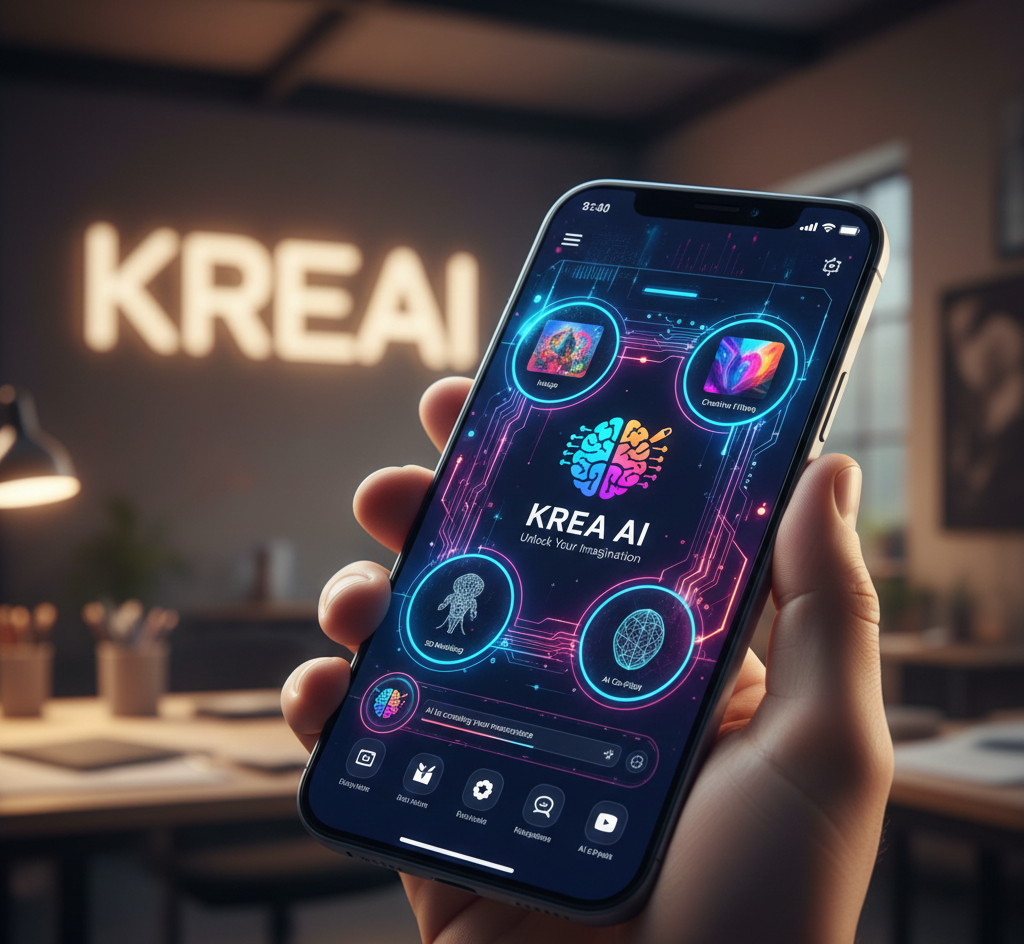
Editing content just got easier. All thanks to Krea Ai. Artists, designers and content creators who want to maximize the use of generative technology in their production processes will find Krea a worthy and flexible option.
Krea will simplify the creative process by bringing several AI models to a single location. In practical terms, it offers a single interface in which you can type a prompt to make a new image, upload a clip to edit it, upscale an image to a higher resolution, or even animate a picture into a short video.
In this writing, we will discuss extensively about Krea Ai; exploring its features, uses and how it works as a toolbox capable of creating content out of nothing (through prompts), enhancing the existing content, and experimenting with styles and formats.
Krea AI is a comprehensive online application tailored for creative professionals. It serves as a “creative studio” where the workflow stays entirely in a browser. Users do not need to install anything; all features are accessible through Krea’s website.
At its core, Krea is a generative content system: it hosts various trained models that can create and transform media based on user input. These inputs may be as primitive as a text description, or a sketch drawing.
This is made possible by Krea’s image generation feature, which combines proprietary and third-party neural models. Krea’s own documentation explains that it offers access to multiple cutting-edge models — from its own Krea 1 model to Google’s Nano Banana and even OpenAI’s ChatGPT Image Model.
Explore the 12 Best AI Market Research Tools for Tech Projects
Krea’s strength lies in its wide feature set. Its core functionalities, each a powerful tool on its own, include:
Using textual prompts and optional style references, Krea can generate high-resolution images. Users have access to dozens of models, including proprietary ones and public models like Google’s Nano Banana and OpenAI’s Imagen. You can combine prompts, aspect ratios, and even sketches.
The system claims extremely fast speeds (about 3 seconds for a 1024px image on Flux model). It also offers over 1000 artistic styles and up to 4K native resolution. This lets artists experiment with different looks and compositions quickly.
Krea supports turning text or images into animated clips. It integrates multiple video-generation models (such as Wan, Seedance, Runway, and others) to produce short videos. Users can specify starting or ending frames, camera movements, or effects in the prompt.
This means you could animate a still image or create a brand-new scene. The interface promises intuitive controls for generating “viral videos for social media” and adding motion to images.
One standout feature is the real-time mode. With such a setting, the user is provided with live updates when they edit. As an illustration, you may create a line or shape on the canvas and see the AI transform that line into a more complex figure real-time.
It is an interactive tool that removes the waiting period that is involved in generation and generates generation at an extremely high speed. It is like a partner who is always informed of your every stroke as you make them.
Read about 20 Most Trusted Online Daily Earning Websites Without Investment in 2026
Krea provides upscaling to 22,000 pixels and is of high quality. This allows you to capture a tiny or low-resolution image and make it a high-resolution photograph. Clarity, noise removal and sharpening of details can also be done through the “Enhancer” feature.
It also operates a variety of specialized upscaling models (such as the famous models of Topaz), to optimally fit the various kinds of images (portraits, architecture, and others).
Video upscaling is likewise comparable to image upscaling: Krea can enhance the quality of video. It is capable of increasing video levels to 8K and inserts new frames to provide seamless slow-motion (up to 120fps).
As an example, it has the ability to convert a shaky phone video and turn it into a 4K crystal-clear clip, or convert footage to a slow-motion cinematic effect.
The filmmakers and content creators will find it useful when it comes to enhancing already existing video materials.
The Krea content-aware editing functions, called Edit, enable content-aware editing. Its easy interface enables the addition or removal of elements, modification of expressions on faces, or alteration of lighting by simply describing how to do it.
These, under the hood, make use of inpainting and style models (such as Nano Banana or Flux) to gradually incorporate changes into the picture. It is an excellent feature, which is used to retouch pictures or integrate various aspects into a single scene.
Krea allows creating 3D objects out of text or images. While not as heavily promoted, users can create 3D assets by describing them (“text to 3D”) or converting existing images into 3D form.
This opens possibilities for game development, virtual reality content, or 3D printing design right from the Krea interface.
Krea lets users train custom mini-models on small image sets. You post a few photos of a face, product, or style and Krea produces a LoRA (fine-tuned model).
After training, in prompts, you can insert a keyword (e.g. a name or a code word) and repeat that person/style in any generated image. It implies that brands or artists can have highly targeted, custom-made production that reflects their identity.
Krea includes features like an asset manager to organize your files, and shareable workspaces for teams. You can save your favorite prompts, styles, and models in Krea’s library for reuse.
Business and team plans allow collaborative projects where multiple people can view and edit outputs.
Beyond Krea’s own models, the platform provides instant access to industry-leading generators. For example, it lists DeepMind’s Veo, Google’s Ideogram, Runway’s Gen-4, and more.
This wide model library is a key feature: you get one-stop access to multiple AI engines.
According to its site, Krea boasts very fast performance (for example, 50ms for real-time image updates). It also provides large daily compute quotas even on the free plan, and tiered subscription options for heavier use. This ensures artists have enough resources to experiment.
Krea AI’s feature set is like an entire digital art studio powered by smart software. It handles not only creation of new creative content (image or video), but also the improvement and editing of pre-existing ones, all in one platform.
These tools allow a creative process in which ideas can be easily converted to visual material with minimal technical barriers.
Check out the 10 Best Google Ads AI-Powered Tools to Help Marketers Ad Campaigns
Krea’s broad toolset finds use across many creative fields. Key use cases include:
Designers can be able to create concept art, backgrounds or illustrations and use them in marketing, in the web design or print.
For instance, a designer could create multiple variations of a product photo or ad visuals by typing a prompt or sketching a scene and letting Krea produce polished images.
Video editors and marketers use Krea to create animated clips and effects. They can transform a static scene into a moving video (for social media ads or intros) by using the video generation or style transfer features.
For example, turning a live-action shot into a stylized animation is possible. The platform’s video tools are advertised for “viral videos for social media”.
Photographers and archivists utilize Krea to upscale and clean photos. It is possible to restore low-quality or old photos to high quality.
One of these is zooming an existing family image to a higher resolution or denoising an image to produce a clean image. This is particularly in cases where big, print-quality pictures are required out of small originals.
Krea can produce realistic products or building mockups in such industries as fashion and architecture.
As an example, an architect can type in a description of the exterior and Krea will create a detailed image of the facade, which in turn can be scaled or perfected to be presented.
Fashion designers could generate fabric patterns or model poses from text prompts. Krea’s own documentation notes its relevance to fields such as architecture and branding.
Artists use Krea to quickly prototype scenes. For example, a filmmaker storyboarding a sci-fi scene might use the text-to-video or real-time canvas to sketch out an environment.
Krea allows rapid iteration: change the prompt or drawing, and instantly see new versions (as discussed in third-party reviews). This speeds up pre-visualization.
Marketers produce diverse media for campaigns. Krea enables them to create tailored images and videos on demand.
They might generate product shots, promotional graphics, or short video clips for different platforms. As one Krea reviewer notes, the ability to iterate fast means marketers can explore many creative options within minutes.
Read about 10 Free Tech Training in Nigeria
Game developers and VR designers can use Krea’s 3D generation and LoRA training. A small indie developer could train a model on custom art assets so that they can generate consistent characters or textures for a game.
The text-to-3D feature can also jumpstart 3D asset creation for environments or props.
Krea is a learning environment that can be used by educators and students to learn art and AI. It may be used to impart the idea of computer graphics, design rules, and what generative AI is capable of doing.
Students will be able to test prompts so as to observe visual outcomes instantly, which provides a practical approach to experimenting with an artistic AI.
Krea is used by Hobbyists to create personal creative projects: custom wallpapers, personalized greeting cards, and digital collages among others. The free tier of Krea allows anyone to play with visual ideas without upfront cost.
By combining multiple functions, Krea replaces the need to learn or subscribe to several different tools. For example, instead of separately using an image generator, a video editor, and an upscaling tool, a user stays in Krea and handles all tasks.
The platform is versatile and has drawn a huge base of users (more than 30 million users around the globe) such as Lego and Samsung, meaning that it is utilized in business and personal processes.
To conclude, Krea AI is an application that can be utilized by individuals, as well as a team that tends to produce or improve images, videos, and even 3D media with the help of AI-driven tools.
Read also: What Is Janitor AI? Features, Uses, & How It Works
Krea AI operates entirely online through a unified web interface. The user chooses the relevant tool (image generator, editor, video, etc.) and then provides input, which Krea’s servers process. The general workflow is as follows:
The user opens Krea.ai in a browser and selects a tool. For image generation, one types a text prompt and can add optional inputs like reference images or style selections.
For editing, one can drag shapes on a canvas or upload an image to be modified. For video, one can either input text (e.g. “an animation of a bouncing robot”) or supply start/end images to define a clip.
Once inputs are given, Krea sends the task to its backend. It then routes the request to the appropriate AI model. For example, a text prompt for an image might go to the Krea 1 model or another chosen generator.
A request to upscale an image is sent to an upscaling model (Topaz or Krea’s own). Krea’s system manages these models and their compute resources.
The AI model executes its calculations and provides the result. In case of an image prompt, it produces a file in the form of a visual image, in the case of video it produces a short clip frame by frame, and in the case of editing produces an edited version of the original image.
This result can be seen almost instantly as the user makes changes in real-time mode. In non-realtime modes, a progress indicator shows the work being done.
Check out to see the 10 Tech Millionaires in Nigeria
During or after generation, Krea provides sliders or input boxes to refine the result. For instance, if you generated an image, you might adjust creativity vs. accuracy or change the resolution and re-run.
If upscaling, you set the target resolution (like 8K). These options give the user control over the final output without leaving the app.
Once finished, Krea displays the result in the browser. The user can then download the file or save it in their asset library. Multiple generations can be queued or compared side-by-side.
If a LoRA model was being trained, the system would indicate completion, and the user could then use that model for future tasks.
The underlying engine relies on complex neural networks and on-the-fly computing. But to the user, it feels straightforward. Krea’s infrastructure is built for speed and scale. It leverages GPU servers optimized for AI.
See also: Top 15 AI Game Generators
Krea AI users can sell AI-generated images, videos, and enhancements as freelance services
1 Krea [dev]
Advanced customization options are somewhat restricted, and power users may find the creative control lacking compared to more specialized tools.
KREA offers a free tier with 20 AI generations per day and basic features. Pro plans start at $24/month (billed annually) or $30/month (monthly billing) for unlimited generations, commercial use, faster processing, and advanced features like upscaling and pattern generation.
Krea AI is a versatile digital studio for any creative professional. Its combination of image and video generation, upscaling, editing, and custom model training makes it a Swiss Army knife for visual content.
By embedding top-tier AI models into user-friendly tools, Krea allows rapid prototyping and production of digital art that would otherwise take much longer to create manually.
With a free tier for experimentation and scalable paid plans, Krea is accessible to hobbyists and enterprises alike.
Ultimately, Krea AI promises to unleash creativity by providing an all-in-one platform where almost any visual idea can be turned into reality in minutes.