Physical Address
60 Ekwema Cres, Layout 460281, Imo
Physical Address
60 Ekwema Cres, Layout 460281, Imo

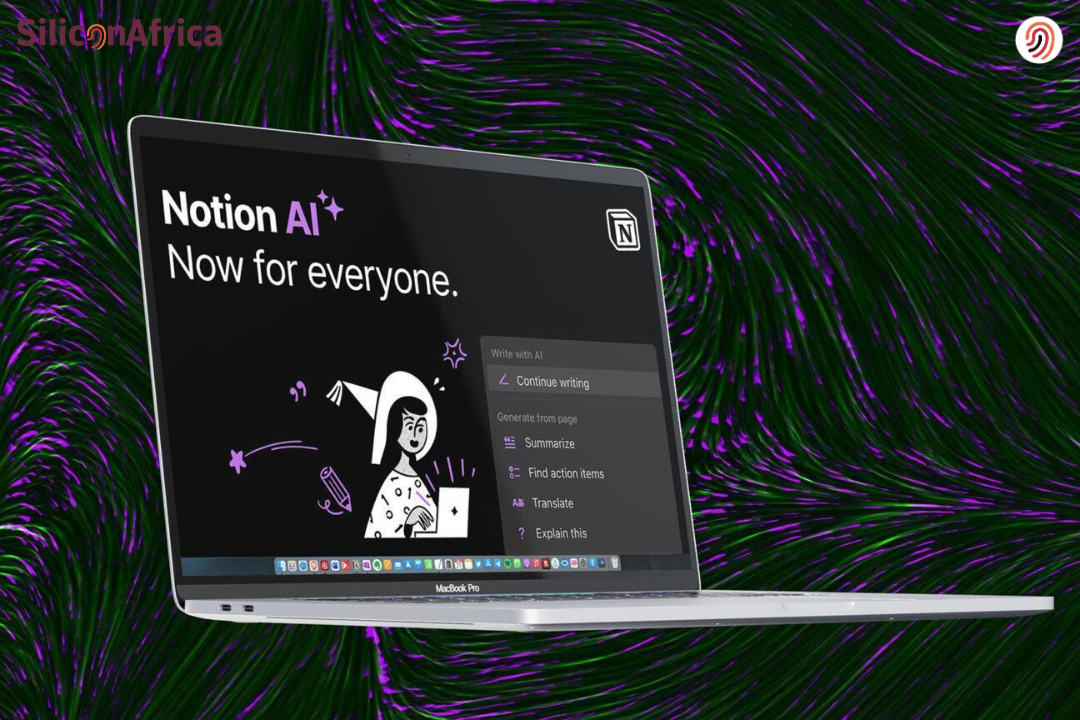
Trying to stay organized used to feel like juggling ten notebooks, scattered sticky notes, and random thoughts flying around your head, then Notion AI stepped in and made things feel lighter and way more manageable.
It helps you write, plan, brainstorm, and organize ideas faster without stress. It works inside your workspace and assists with tasks like drafting content, summarizing notes, and improving writing.
Also it supports productivity without making things complicated. Many people are curious about how to use Notion AI, whether Notion AI free options exist, and what a real Notion AI review looks like.
This guide breaks down what the tool actually does, how people use it in real life, and how it processes information to support your workflow.
Whether you’re writing notes, brainstorming content, managing projects, or just trying to stay organized without feeling burnt out, understanding how it works can help you decide if it fits into your daily routine.
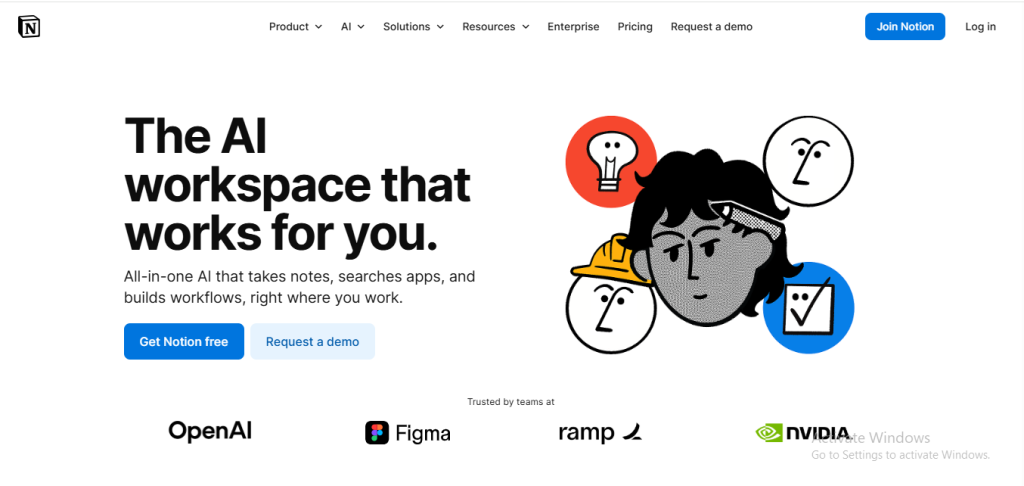
Notion AI is an integrated intelligence layer built into the Notion connected workspace. Its core purpose is to augment user productivity and streamline team collaboration without leaving the platform.
It is not a standalone application but a set of features that operate on the content a user has already created.
Developed by Notion Labs, Inc. (founded in 2013), the AI suite was officially launched in February 2023. It has received major updates since then, with key additions including the Q&A feature in late 2023.
For those looking to explore a comprehensive Notion AI Overview and Features, understanding its integration capabilities and workflow optimization potential is essential for modern project management teams.
Also Read – 10 Best Websites Like Neal.fun for Entertaining Activities
Notion AI has tools to speed up content production. Text can be quickly generated for blog posts, social media content or reports by commanding Notion AI.
It provides faster access to information by presenting complex and lengthy data in short summaries. This helps users save time, especially in research and reporting processes.
Notion AI provides supporting content such as task suggestions, project plans and to-do lists to help users better manage their workload. This allows users to keep track of their projects in a more organized and efficient way.
Notion AI also supports the user in writing language and style. It helps to create content suitable for different target audiences by making language or tone changes in texts.
Notion AI uses advanced artificial intelligence models trained to understand language patterns and context. It analyzes user prompts and produces relevant responses based on data patterns.
The system processes natural language, which means users can communicate with it like they are chatting with a person. This makes the experience feel less technical and more conversational.
When you input text or instructions, the AI evaluates context, predicts meaningful responses, and generates content that aligns with your request. It continues learning and improving to provide more accurate results over time.
The integration within Notion makes the process seamless. Users do not need separate apps or complicated setups.
Read Also – Apple Selects Google’s Gemini AI to Power Siri
Notion is an incredibly versatile tool that can be used by students, individuals, and professionals in any industry. While there are countless ways to use Notion AI, here are a few examples of how you might use the tool to streamline your workflow:
If you already have an existing Notion account, all you have to do is log in to start using the new Notion AI features. But no worries if you’ve yet to sign up for an account. We’ll walk you through how to get one, help you navigate your new Notion workspace, and introduce you to how to use Notion AI.
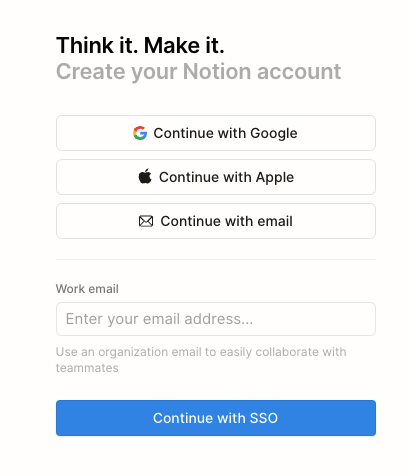
Signing up for a Notion account is straightforward. From the Notion homepage, you can sign up for a free account using either your email address, Google account, or Apple account.
If you only intend to use Notion as an individual, a free account may be all you ever need. But you can also choose from additional Notion subscription options for groups, companies, and enterprises.
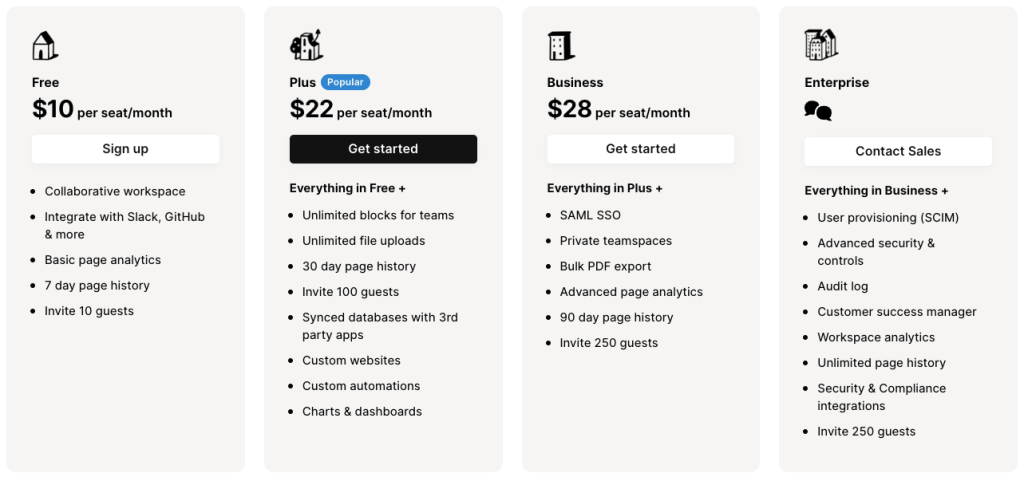
While the paid subscription options come with additional guest spots and team spaces, even free accounts offer a collaborative workspace for up to 10 guests.
You have the option to purchase a Notion AI add-on subscription for $10 per month per member or $8 per month per member if billed annually. This will grant you unlimited access to Notion AI features.
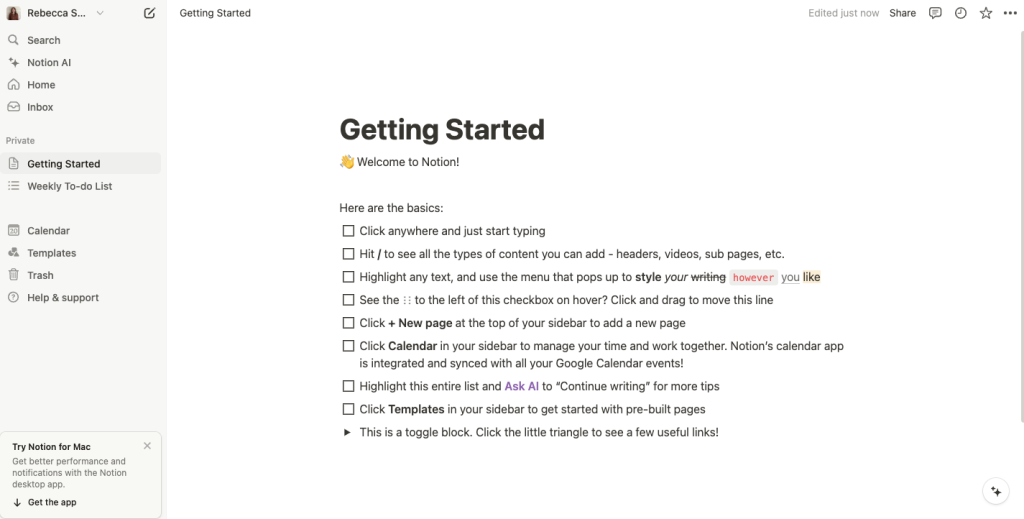
When you create an account, you’ll be directed to your new workspace, which comes with a preloaded breakdown of the tools the platform has to offer. The main menu on the left-hand side of your screen is also refreshingly self-explanatory.
That’s where you’ll be able to access Notion templates, create a new page, and browse through the program’s features. Simply click the option to “Add a page” to pull up a fresh new page document and begin your first creation.
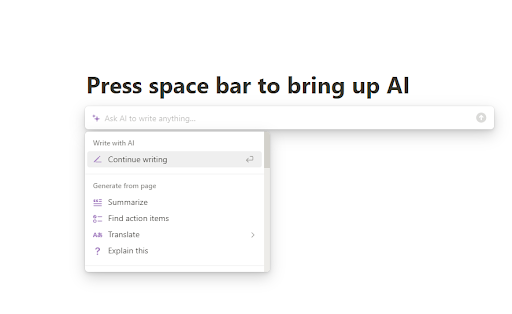
Summoning up your new AI assistant is as easy as hitting enter to move the cursor to an empty line and then pressing the space bar. Your Notion AI assistant will appear along with a search box and a scroll-down menu of AI features.
If you want to ask Notion AI a question or have it write something for you, simply type your query into the search box. But be sure you also check out the options on the drop-down menu to choose from AI tools like text generation, summarization, brainstorming ideas, autofill, and spell check.
Also Read – Nigeria Ranks 72nd in Global AI Readiness, Trails Egypt’s Regional Lead
Many users wonder about the availability of notion ai free options before deciding to try it.
Notion usually offers limited AI usage for free users. This allows new users to test the feature and understand its capabilities. However, extended or advanced AI usage typically requires a paid subscription.
The free option is helpful for beginners who want to explore how the tool works before committing financially. It gives enough access to basic AI assistance without overwhelming users.
Paid plans provide more AI responses, faster processing, and additional productivity features. Many users upgrade once they see how much time the tool saves.
A balanced notion ai review helps users decide whether the tool is worth trying.
Overall, many users find the benefits outweigh the limitations, especially for productivity and writing tasks.
Read Also – Undress AI: the Popular App that Undresses Women and the Need to Regulate it
Notion AI brings a whole new set of features to an already robust productivity app. Much like any other AI tool, the key to Notion AI is learning to use its features efficiently to match your needs.
When you use the Ask AI feature, try to keep your questions precise, but don’t be afraid to use the “Try again” or “Make longer” options if the answer you get isn’t helpful.
Additionally, keep in mind that no AI assistant is flawless. Be sure to proofread any AI-generated content to make sure it’s error-free and matches your tone and style.
While you can access Notion on any web browser, there’s also a desktop app available for Windows and Mac. Notion additionally offers a mobile app for iOS and Android.
What sets Notion AI apart is its versatility compared to traditional AI tools that often serve singular functions. Notion AI is uniquely crafted to streamline work across various departments, catering to teams like sales, marketing, development, and operations.
The significant advantage lies in its integration within the Notion app, a central work hub for many users. This accessibility means teams can seamlessly access AI features without navigating to different platforms or applications, making the tool more user-friendly.
Notion’s foresight in embracing this trend aligns with the evolving landscape of apps, particularly with the early integration of features like ChatGPT’s open API.
Also Read – Google Launches Applications for 10th Africa Startup Accelerator, Focusing on AI Innovation
Artificial intelligence continues evolving rapidly. Productivity tools are expected to become more intelligent and personalized.
Notion AI may introduce advanced automation, improved contextual understanding, and deeper workflow integration in the future. These improvements could make digital workspaces smarter and more intuitive.
Users are likely to see better collaboration features, stronger data organization tools, and more natural AI interactions.
Yes. Students use it for summarizing lectures and research notes, while content creators use it for brainstorming ideas, drafting articles, and planning content.
No. Notion AI helps speed up writing and idea generation, but personal editing and creativity are still important for producing unique and authentic content.
One major difference is that it works directly inside the Notion workspace, allowing users to manage notes, tasks, and AI writing assistance in one place.
Yes. The interface is simple, and most users can start using it without technical experience. It is designed to feel natural and easy to understand.
Notion AI makes staying productive feel less stressful by helping people write, organize, and manage ideas in one space.
Learning how to use Notion AI helps users work faster and stay focused, while trying the Notion AI free option lets beginners explore its benefits without pressure.
Reading an honest notion ai review and understanding the Features of notion ai inside Notion helps users stay organized, creative, and in control of their work.
For more related articles like this, you can explore our homepage and kindly leave a comment and follow our social media platforms for more updates
Facebook at Silicon Africa
Instagram at Siliconafricatech
Twitter at @siliconafritech.