Physical Address
60 Ekwema Cres, Layout 460281, Imo
Physical Address
60 Ekwema Cres, Layout 460281, Imo

These days, Viggle AI is the tool everyone is talking about when it comes to turning photos and simple ideas into animated videos.
You know how creating animated content used to be stressful? You needed heavy software, serious editing skills, and plenty of time. For most people, that alone was enough to give up.
Now imagine uploading a photo, choosing a motion style, and watching it turn into a moving character in seconds. That is basically what Viggle AI does.
In this article, we’ll break everything down in simple terms. We’ll answer what Viggle AI is in detail, explain how to use Viggle AI step by step, talk about Viggle AI free access, and even touch on the Viggle AI app download process.
If you’ve been curious about how it works and whether it’s worth trying, you’re in the right place.
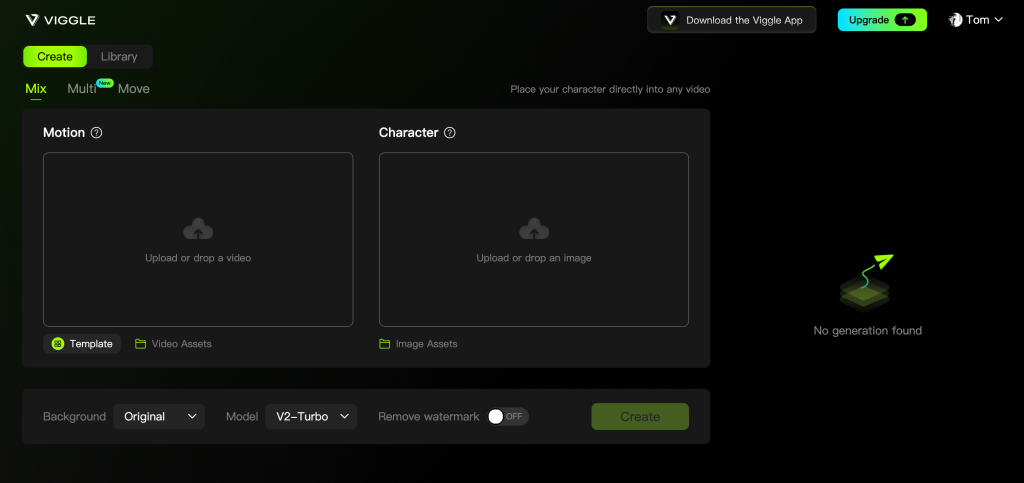
Viggle AI is an artificial intelligence-based tool designed to make it easier for anyone to create animations from static images with just a few simple steps.
This application is very useful for content creators, designers, and ordinary users who want to create unique videos quickly.
By utilizing its features, users can produce interesting content without the need for expensive devices or complicated editing capabilities.
Even so, it is still important to use a legal source of images and videos so that your work is safe to use publicly.
Read Also – What Is Originality AI? Features, Uses, & How It Works
To better understand what Viggle AI is, here are some of the features that make it an advantage:
This feature allows you to merge images with benchmark videos. For example, you can upload a character image, and then choose videos of people dancing. This way, your character will dance based on the movement in the video.
This feature allows the character in the image to move based on the reference video, but with the same background as the original image. This is ideal for creating a simple animation without changing the background.
Viggle AI has a variety of moves, poses, and animated styles that can be easily chosen. This is ideal for those who are new to animation and do not want to look for their own benchmark videos.
No technical knowledge is required. Simply upload an image, choose a reference video or template, and then wait for the animation to finish processing.
With these features, Viggle AI has become a favorite among content creators for social media platforms such as TikTok, Instagram, and YouTube.
Without getting too technical, here is what is happening under the hood.
The system uses machine learning models trained on human motion data.
It understands how bodies move. When you upload a character, it maps key points like joints and limbs. Then it overlays motion patterns onto that structure.
It is not simply pasting a dance onto a picture. The AI adjusts proportions and angles to match your character.
That is why results often look fluid instead of stiff.
It feels smart because it is analyzing posture, balance, and motion flow.
Also Read – What Is Jasper AI? Features, Uses, & How It Works
Here are the simple steps to apply Viggle AI:
First, download the Viggle AI app on your cellphone or access it through the official website. After that, register the account using your email or social media account.
After entering, select a mode like Mix or Move depending on your needs.
Upload the character image you want to minimize, then select or upload a reference video containing the movement you want to copy. Make sure the image has good quality so that the animation results are smoother.
You can choose a background, lighting, or additional effects so that the results appear more attractive.
Click the ‘Generate’ button and wait a few minutes until the process is complete. After that, you can review the results of the animation that has been created.
If the results are appropriate, download the video and share it with your social media platform.
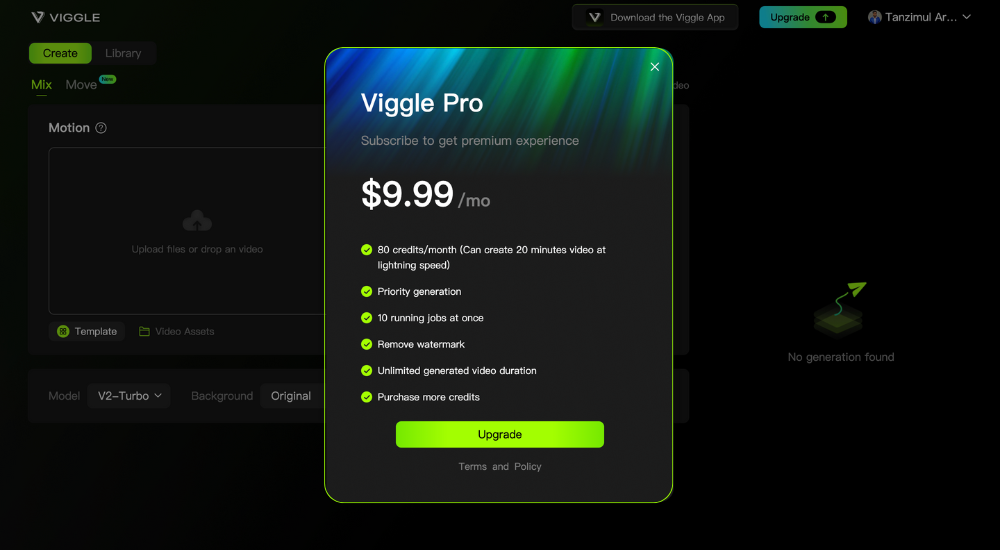
Viggle AI has a partially free service. This means that you can enjoy the service for free without paying a dime. But if you are looking for more advanced features such as extended video output, fast processing, or access to unique animation models, you have to pay for these services.
This brings us to another crucial aspect of Viggle AI, which is its pricing. On the pricing page, you will find various plans for users who need more flexibility and capabilities. If you are a frequent user of this service or if you plan to use it for your creative projects, then you should consider the paid plans.
Read Also – What Is Janitor AI? Features, Uses, & How It Works
Perfect for beginners or casual users:
Designed for creators who require greater output and more flexibility:
Also Read – What is a Mastermode? Definition and purpose in blockchain network
The platform is currently in use by a variety of users, including:
Viggle does not require any design or editing experience, so the use of the platform is not restricted to professionals.
Before you begin using Viggle AI, please take note of the following:
These advantages explain its growing popularity.
Understanding these limitations helps set realistic expectations.
Read Also – OpenAI Unveils ChatGPT Health for AI-Powered Wellness
If the goal is to explore similar motion or video-generation tools, these are often discussed alongside Viggle AI:
Each platform offers a different creative direction. Viggle is unique in its narrow focus on character motion from static input, while these alternatives support broader creative control.
Yes, but Pro users can unlock faster rendering and watermark-free outputs for $9.99/month.
No. You must log in using Google or Discord to prevent spam and save project data.
No. You’ll need an internet connection for processing and rendering.
Yes, for most outputs, though it’s recommended to check licensing once it exits beta.
Viggle AI makes animation feel simple and accessible for everyday creators. Now you clearly understand What Is Viggle AI, how it turns still images into moving videos, and how to use Viggle AI without needing advanced editing skills.
From exploring Viggle AI free options to checking the Viggle AI app download process, getting started is easy.
If you want faster, more engaging content without the stress of traditional animation, Viggle AI is a tool worth trying.
For more related articles like this, you can explore our homepage and kindly leave a comment and follow our social media platforms for more updates
Facebook at Silicon Africa
Instagram at Siliconafricatech
Twitter at @siliconafritech.