Physical Address
60 Ekwema Cres, Layout 460281, Imo
Physical Address
60 Ekwema Cres, Layout 460281, Imo

Editing content used to mean choosing between living with flaws or spending hours fixing them, and that’s exactly where Topaz AI started standing out.
If you’ve been wondering What Is Topaz AI and why so many creators keep talking about it, here’s the simple truth: it’s one of the most powerful AI-driven tools right now for sharpening, upscaling, and cleaning up both photos and videos without the usual stress.
Developed by Topaz Labs, the platform uses advanced deep learning models to automate complex editing tasks and deliver professional-level results.
In this guide, I’ll break down the Features of Topaz AI, how it works in real-life situations, is Topaz AI free, how much is topaz ai, and ultimately, whether Topaz AI is worth it. Let’s get into it.
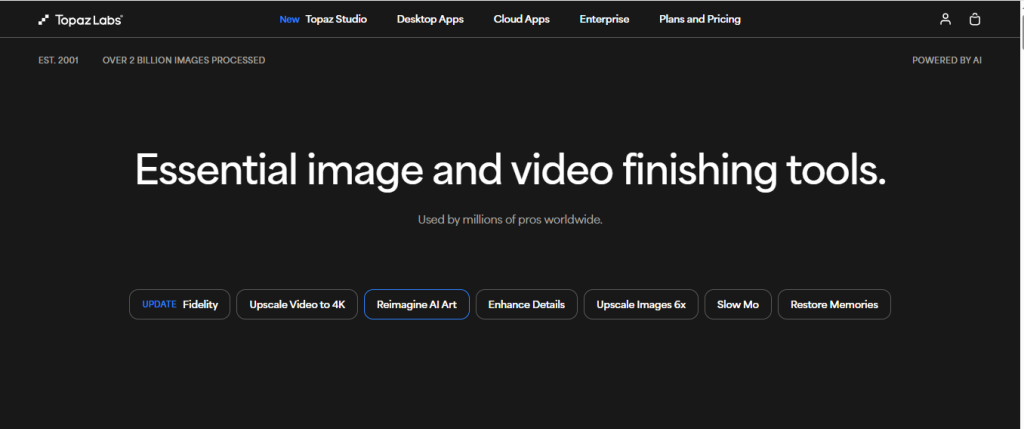
Topaz AI is a collection of AI-powered tools created by Topaz Labs that help you improve the quality of your photos and videos automatically.
Instead of manually tweaking sliders for hours, the software analyzes your file and applies smart enhancements based on trained deep learning models.
It’s not just another filter app. It actually “understands” images. It recognizes faces, textures, edges, motion, and noise patterns. That’s why the results often look surprisingly natural.
The main tools in the Topaz AI ecosystem include:
Each one focuses on a specific problem. Blurry image? There’s a tool for that. Grainy night photo? Covered. Old low-res video? Upscale it cleanly.
Read Also – What Is Originality AI? Features, Uses, & How It Works
Now let’s talk about the features of Topaz AI that make people stick with it.
One of the biggest highlights is image and video upscaling. You can enlarge a photo up to 600% without it turning into a pixelated mess. The software fills in missing details using AI models trained on millions of images.
For videos, you can upscale from 480p to 4K or even 8K. It doesn’t just stretch the file. It rebuilds details.
That’s huge for content creators working with older footage.
Low-light photos often come out grainy. Most noise reduction tools blur the image while trying to fix it. Topaz AI removes noise while keeping skin texture and fine details intact.
It feels like magic when you see it clean up a high ISO shot without destroying the image.
You know those shots that are almost perfect but slightly blurry because the subject moved? Topaz AI can recover those. It analyzes motion patterns and reconstructs sharper edges.
It won’t fix every extreme case. Also it saves a lot of “almost good” photos.
This feature stands out. When upscaling group photos or old family pictures, faces often turn soft or distorted. Topaz AI detects faces and enhances them separately to preserve natural details.
For wedding photographers or portrait editors, this alone can justify the investment.
In Topaz Video AI, you can increase frame rates smoothly. It generates new frames between existing ones to create slow motion or smoother playback.
Great for sports, cinematic edits, or reviving old footage.
Time matters. Topaz AI lets you process multiple files at once. Drop in a folder, apply settings, and let it run.
For photographers handling hundreds of images, this is a lifesaver.
Also Read – What Is Jasper AI? Features, Uses, & How It Works
You don’t need to understand deep learning to use it, but here’s what’s happening behind the scenes.
Topaz AI uses neural networks trained on massive datasets of high-quality images and videos. The system learns patterns. It studies how sharp images look compared to blurry ones. It learns what noise looks like versus actual detail.
When you upload a file, the software analyzes it pixel by pixel. It identifies areas that need correction. It applies enhancements based on what it has learned.
Unlike traditional editing tools that rely on fixed algorithms, Topaz AI adapts to the specific image in front of it.
That’s why the output often feels intelligent rather than mechanical.
Let’s see how you can use Topaz AI effectively:
Download your chosen tool from Topaz Labs’ official site. Install it like any regular desktop software. It works on both Windows and macOS.
A strong GPU helps a lot, especially for video projects.
Open the software and drag your image or video into the interface. The AI immediately analyzes the file.
It usually suggests automatic enhancements based on what it detects.
You’ll see different AI model options depending on the issue. For example:
You can preview results in real time before exporting.
The software gives you sliders for strength, detail recovery, and noise levels. Start subtle.
Push too far and it can look overprocessed. Less is often more.
Choose your output format and resolution. Click export and let it render.
For video projects, rendering may take time depending on your system specs.
That’s it. The workflow is surprisingly straightforward.
Read Also – What Is Janitor AI? Features, Uses, & How It Works
Topaz AI is not fully free. It offers free trials for most of its tools. You can test them before buying.
After the trial, you need to purchase a license. Pricing depends on the specific product.
Which brings us to the big question people search for.
Topaz AI gives you two ways to subscribe: an all-access bundle or separate app plans. Here’s how they compare.
| Product | Cost | What’s included |
| All-access | ||
| Topaz Studio | $69/month | All desktop and cloud appsUnlimited local renderingUnlimited cloud image rendering |
| Topaz Studio Pro | $75/month (1-year commitment) | All desktop and cloud apps with pro featuresSeat management |
| All Desktop Apps | From $59/month | All desktop appsUnlimited local renderingUnlimited cloud image rendering |
| All Cloud Apps | From $55/month | All cloud appsUnlimited cloud image rendering |
| Individual desktop apps | ||
| Topaz Photo | $58/month | Unlimited local renderingUnlimited cloud image renderingAll standard tools |
| Topaz Video | $67/month | Unlimited local renderingAll standard tools |
| Topaz Gigapixel | $50/month | Unlimited local renderingUnlimited cloud image renderingAll standard tools |
| Individual cloud apps | ||
| Topaz Bloom | $55/month | Creative image upscaling |
| Topaz Astra | From $39/month | Creative video upscaling |
Also Read – What is a Mastermode? Definition and purpose in blockchain network
For casual users editing a few phone photos, it may feel expensive. For professionals delivering client work, it often pays for itself quickly.
Saving a single important project can justify the cost. It also reduces editing time, which means faster turnaround and more productivity.
If quality matters in your workflow, it’s worth serious consideration.
Read Also – OpenAI Unveils ChatGPT Health for AI-Powered Wellness
No software is perfect. Understanding both sides helps set realistic expectations.
No. Once installed, the software runs locally on your computer. Internet access is only required for downloading updates or activating the license.
A modern CPU and a dedicated GPU are recommended for smooth performance. Video enhancement, especially 4K and above, benefits greatly from strong graphics hardware and sufficient RAM.
No. Topaz AI specializes in enhancement tasks like upscaling and noise reduction. Programs such as Adobe Lightroom handle broader editing workflows including color grading, retouching, and catalog management. Many professionals use Topaz AI alongside these tools.
Yes. The interface is user-friendly, and automatic AI suggestions simplify the process. Beginners can achieve strong results without advanced technical knowledge.
Yes. Topaz Video AI is widely used for upscaling old footage, increasing frame rates, and improving overall clarity. It is especially useful for content creators and filmmakers working with archival material.
Topaz AI feels like that smart assistant you wish you had during late-night editing sessions. It fixes the technical flaws that normally eat up your time.
When someone asks What Is Topaz AI, the simplest answer is this: it’s a powerful AI-driven enhancement suite that rescues, sharpens, and upgrades photos and videos with minimal manual effort.
It’s not hype. It’s practical. It solves real problems.
And once you see a grainy image turn crisp or an old 720p clip transform into clean 4K, it’s hard to imagine your workflow without it.
For more related articles like this, you can explore our homepage, and kindly leave a comment and follow our social media platforms for more updates
Facebook at Silicon Africa
Instagram at Siliconafricatech
Twitter at @siliconafritech.